如何在 Discord 上玩Soulbound

阅读时间 2 分钟

在 Discord 上玩游戏有几种方式。Discord 上的游戏被称为活动。

在 Discord 上玩大型多人在线角色扮演游戏Soulbound 有几种不同的方式。所有这些方法都需要你有一个 Discord 帐户。请按照以下步骤创建账户并开始游戏。

下载并安装 Discord

如果您没有 Discord,请下载并安装 Discord 应用程序,然后创建一个账户,您可以在这里进行操作。

如何在 Discord 上启动Soulbound

在账户中安装应用程序

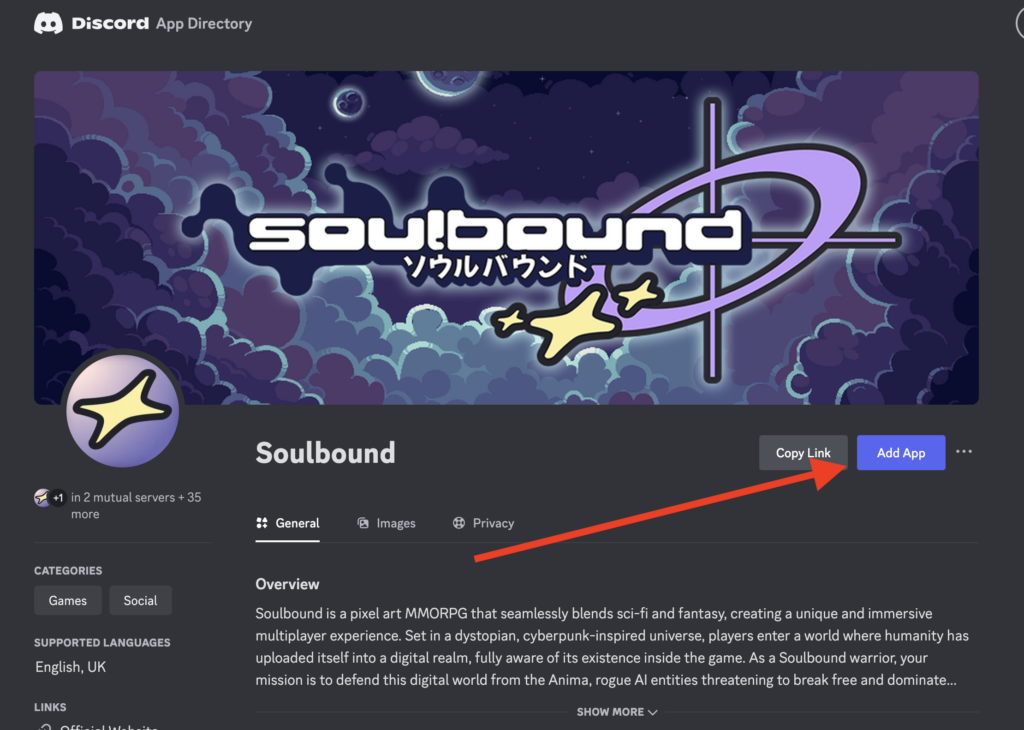
您可以从Discord 应用程序目录页面添加 Soulbound 应用程序,将其安装到您的 Discord 账户。

访问 Discord 应用程序目录。

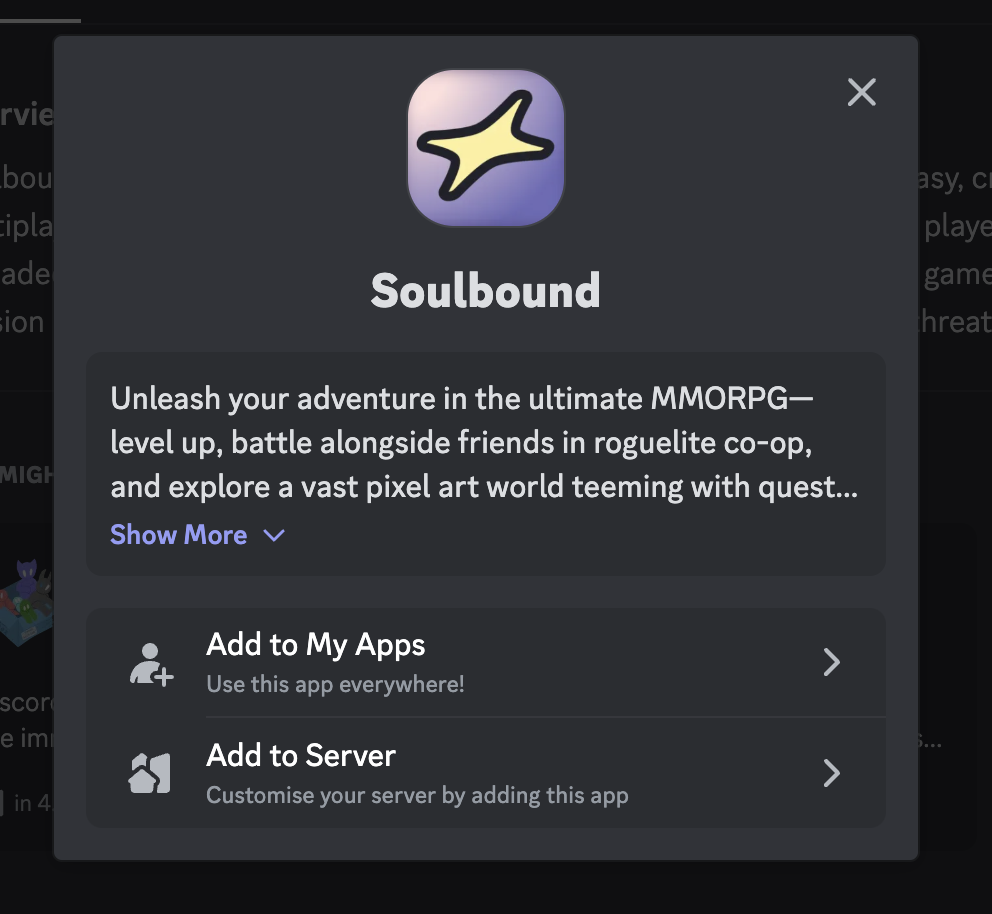
点击 "添加应用程序"。

添加到我的应用程序 或 添加到服务器,将Soulbound 添加到你的 Discord 账户,或你有管理权限的 Discord 服务器。

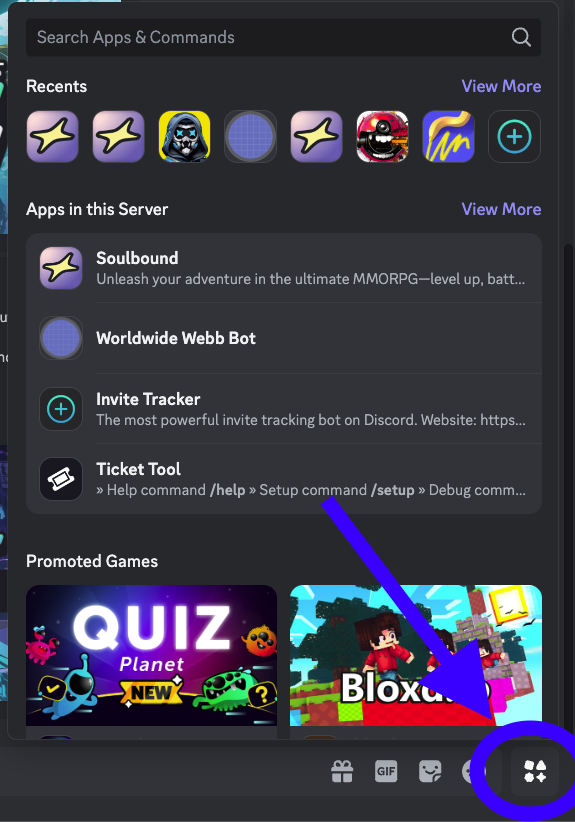
替代方案:使用 Discord 活动小工具打开Soulbound

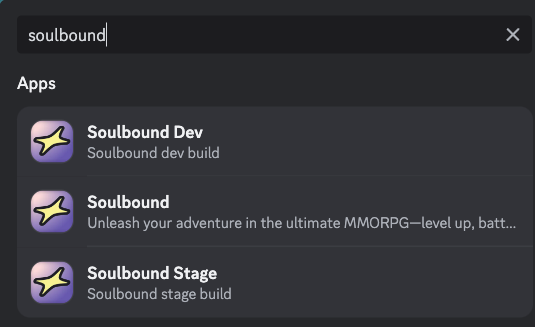
或者,您也可以点击Discord 活动按钮,搜索 "Soulbound"。

使用 Discord 创建Soulbound 账户

当您使用 Discord 开始活动时,系统会提示您创建一个新游戏,这将创建一个与您的 Discord 用户名绑定的账户。每个 Discord 用户只能创建一个账户。如果您想重新开始,请在支持 Discord 频道 中开票。

现已登陆 Steam · PC 平台

购买《Soulbound 》并立即开始游玩

Soulbound: 《Online》目前已在 Steam 上开启抢先体验。只需购买一次,即可直接进入正式服——或者将其加入愿望单,等待下次促销。

目录

Cookie settings

Strictly necessary Always on

These keep the site secure, remember your language and cookie choices, and keep you signed in to your account.

Google Analytics and Pingdom tell us which pages people visit and how fast they load, so we can improve the site.

Lets Google measure whether our ads lead to visits and sign-ups. We don't show ads on this site.

Cookie Notice