

Reading Time: 3 minutes

Performance Optimization for Soulbound
Soulbound pushes browser gaming to its limits, but there’s still plenty you can do to enhance your gameplay performance. Here’s a step-by-step guide to help you achieve the best possible frame rates and smoothness in Soulbound.
Introduction to Performance Improvements 0:00

- Soulbound is a browser-based MMO that can be performance-intensive.
- Performance can be affected by CPU clock speed and age, with modern CPUs like M-series chips performing better.
- Players may need to experiment with settings to find the best performance for their hardware.
Step 1: Set a Realistic Frame Rate Cap 0:53
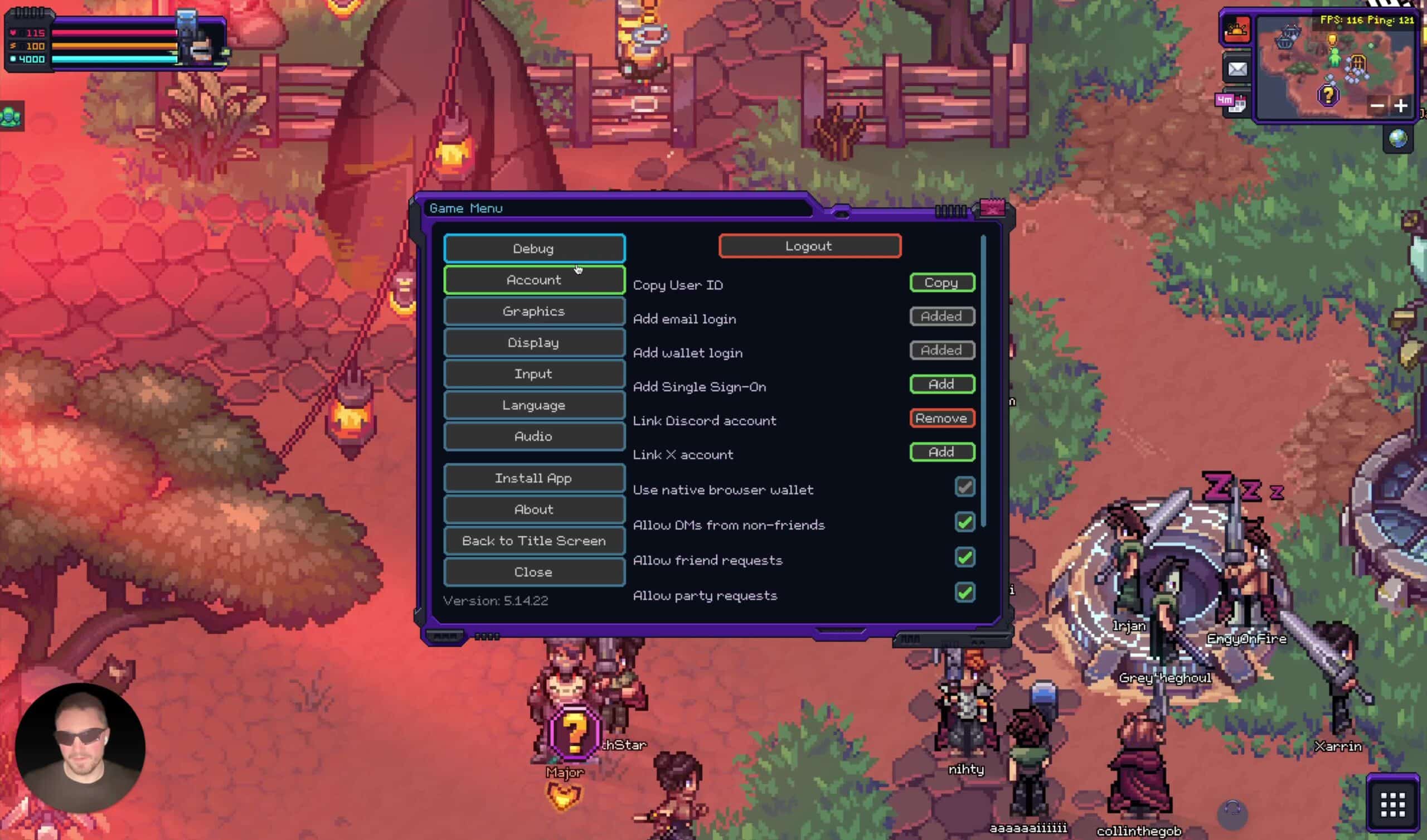
- Navigate to the graphics settings to adjust the frame rate cap.
- Set a realistic frame rate cap based on your performance:
- If struggling to maintain 40-50 FPS, cap it at 30 FPS.
- This allows the browser more time for computations, improving overall gameplay experience despite lower visual smoothness.
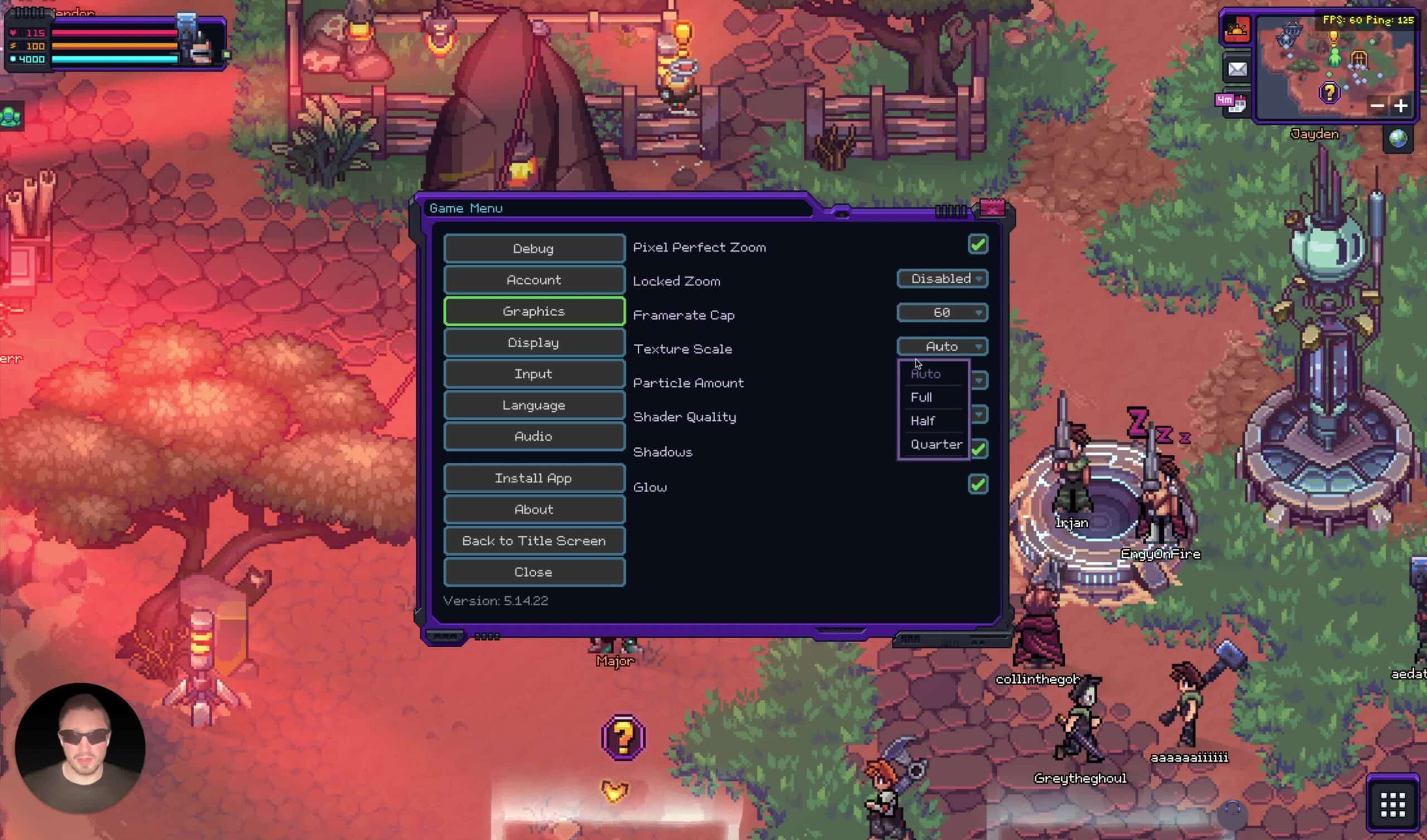
Texture Scale and Graphics Settings 1:23
- Lowering texture scale can significantly improve performance:
- Reducing texture scale to a quarter can enhance smoothness, even if graphics appear poorer.
- Experiment with texture size settings to find a balance between visual quality and performance.
Impact of Particles and Shaders 2:18
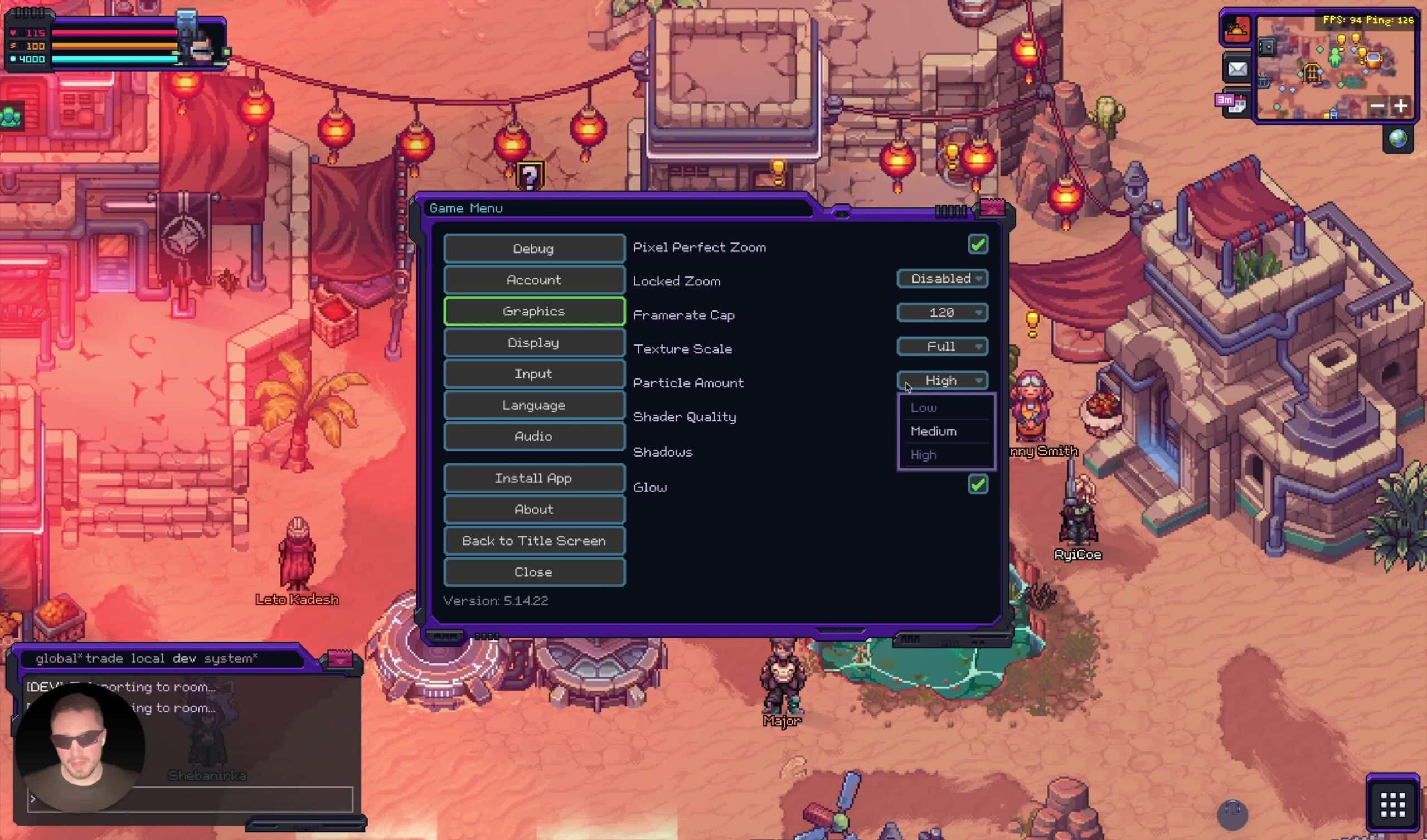
- Reducing particle effects and shaders can lead to noticeable performance improvements, especially in dungeons.
- Players should test these settings to see how they affect FPS in different game areas.
Turning Off Shadows and Glows 2:59
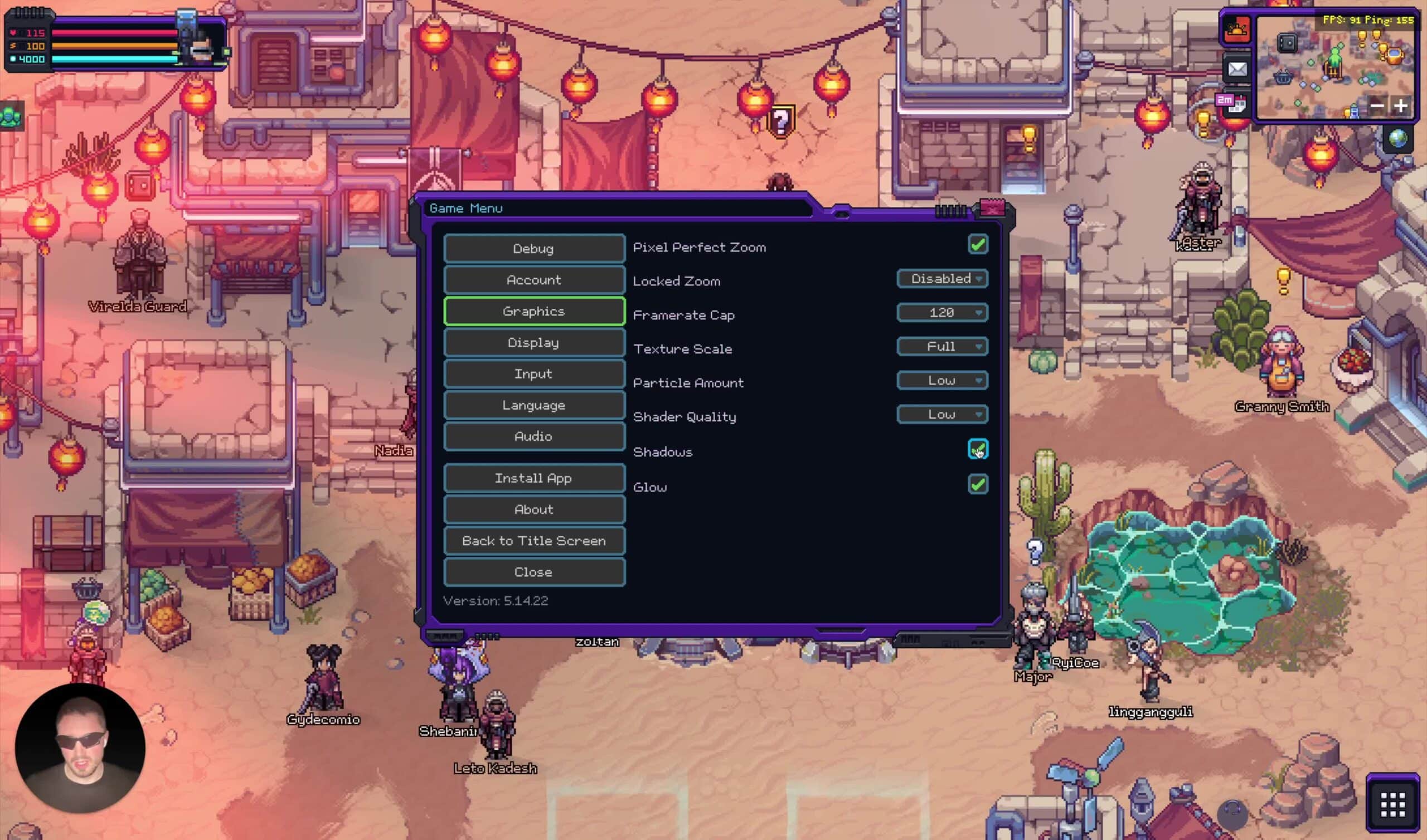
- Disabling shadows and glow effects can provide a performance boost, particularly in dungeons.
- Players should find a balance between visual fidelity and performance by selectively turning off these effects.

Performance on Different Hardware 4:39
- Performance varies significantly based on hardware:
- High-end devices like MacBook M3 can achieve higher FPS.
- Older Intel chips may struggle, so testing is essential.
- Avoid running multiple applications while playing to maximize performance, as the game runs on a single CPU core.
Future Improvements 5:24

- Ongoing updates aim to enhance performance, with significant gains expected in upcoming releases.
- Players can look forward to improvements that may boost performance by 30-50% in future updates.